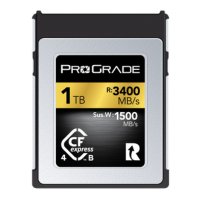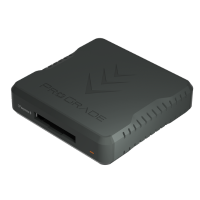
Fast memory cards and SSDs make modern photography and video work possible. They move large amounts of data every second, often for long stretches of time. During these moments, your memory cards and SSDs can feel warm to the touch. Sometimes very warm. And that naturally raises questions about performance and safety.
Why is this happening, and should I be concerned?
In this article, we examine what is actually happening inside your storage media while you use it, what creates all that heat, and how it relates to performance and long-term reliability.
Why Do Memory Cards and SSDs Get Hot?
To understand why memory cards and SSDs get hot, it helps to look at how flash storage actually works.
Inside every card and SSD, there are two main components that do the work: the controller and the NAND flash memory.
The NAND Flash Memory
NAND stands for “NOT AND” — it is a basic digital logic gate. So the word “NAND” is not an acronym created for storage. It literally comes from the digital logic function that the memory structure is based on.
A NAND gate takes two inputs and gives only one output:
- If both inputs are 1, the output is 0.
- For all other input combinations, the output is always 1.
This may seem unrelated to storage at first, but the connection is simple:
The internal structure of flash memory is built from long chains of transistors arranged in a pattern similar to NAND logic. These chains allow large numbers of memory cells to share wiring efficiently. Because of this structure, the industry calls this type of flash NAND flash.
The flash memory stores data in cells. Each cell is a microscopic structure that can hold different levels of electrical charge. A single bit is stored by changing a cell to that charge level. To program a cell, the controller applies voltage to it and pushes electrons into or out of the cell. All of this charging and discharging consumes power, and that power is released as heat inside the card.
The Controller
The controller is a tiny processor that is doing all the aforementioned charging. It takes the stream of data coming from your camera, organizes it into blocks, adds error correction codes, manages worn-out areas of the flash, and keeps track of where every piece of information is stored.
Each of these steps involves a very high number of transistors switching on and off every second. As mentioned, every switch draws a little bit of current. Many switches, happening simultaneously, draw a little more current. That current turns into heat.
Taking a single photo already involves millions of these operations. A video stream involves far more. So it is natural for flash memory devices to heat up over extended use.
To put this into perspective, let’s put some numbers on it.
The (Heat) Math
Say you shoot a 4K video at 60 fps.
A 4K UHD frame is about 3840 by 2160 pixels. This is 8,294,400 pixels in total.
When the card writes the video you shoot, it isn’t “saving a picture” for every frame. It is writing Y’ (luma), Cb (chroma blue difference), and Cr (chroma red difference) sample values for every single pixel.
In common formats like 10-bit video with 4:2:2 chroma sampling, this results in 16.6 million pixel values. 16.6 million times 10 (as there are 10 bits), and we get 166 million bits per frame.
But that’s just one frame. At 60 frames per second, the controller has to accept, process, and store the encoded equivalent of 8.3 million pixels 60 times per second. That is close to 500 million pixels worth of image data flowing through the controller every second.
In ten minutes of recording, you are asking the media to handle the equivalent of around 300 billion pixel values.
How much of that data is stored on your memory card depends on the codec you use. Say you shoot with ProRes 422 HQ. This records roughly 15% of the original uncompressed amount. Nevertheless, it is a lot. Roughly 187MB per second.
Jump to 12-bit RAW, which stores unmodified sensor data (one value per photosite on the sensor), and you’re much higher than 187MB/s.
Each value is programmed into flash cells by applying voltage. And this is where the heat is coming.
And while all this happens, the controller inside the memory cards and SSDs built for professional use is also:
- Calculating and writing advanced-level ECC (error correction codes) so your data can be checked and repaired if there are bit errors.
- Performing wear leveling, which means spreading writes across the flash so the same cells are not worn out too quickly.
- Doing block management and garbage collection to navigate any data fragmentation.
- Reading back data internally to verify that cells were programmed correctly.
Each of these steps means more transistor switching, more current, and therefore more heat.
Is Heat Bad for the Memory Card or the Camera?
Shortly, in normal use, no. That said, the details matter.
Memory cards and SSDs are designed to operate safely at elevated temperatures, and both the media and the camera expect a certain amount of heat during recording. In normal use, the system manages itself and stays within safe operating range.
The controller will automatically slow down if it needs to protect the media. This is called thermal throttling (more about it later). Cameras are designed for this as well. They expect the card to generate heat and channel it through the card slot and internal chassis.
The only time heat becomes a concern is when the card is pushed beyond its intended workload, or if the camera is already running near its thermal limits. Long, sustained near-maximum-speed workloads in very high ambient temperatures can bring the system close to its thermal limits. But even in these cases, unless you are using cheap consumer-grade storage devices that lack such safeguards or are of poor build quality and prone to malfunction, the risk of serious damage is mostly theoretical. Professional-grade storage media is always capable of protecting itself and the data it carries, even in exceptionally hot temperatures.
That said, all top-tier storage devices can do it, but not all do it equally well. Some cards and SSDs are simply better at managing heat, which brings us to thermal throttling.
What Is Thermal Throttling?
Thermal throttling is the automatic reduction of a card’s or SSD’s operating speed when temperatures rise too high. The controller continuously monitors its internal temperature, and once it reaches a predefined limit, it slows down to stay within a safe range. This is a protective mechanism built into all modern storage media. It prevents damage and ensures data integrity, even under demanding workloads.
For the user, however, throttling can be disruptive. In a camera, it can result in slower burst performance, longer buffer clearing, stuttering during high-bitrate recording, or, in harsh cases, the camera stopping the recording altogether.
SSDs behave in a similar way. Long, sustained transfers (especially when the drive is close to full) can cause SSDs to slow down dramatically. This is acceptable for casual use, but not for professionals who move large volumes of footage every day.
This is where media design matters. ProGrade Digital memory cards use advanced controller layouts and heat-dissipating materials that draw heat away from the components that generate it. The result is more stable performance during long, continuous sessions in demanding conditions.
Portable enterprise-grade SSDs like the ProGrade Digital PG10 take this even further featuring a dual-heat-sink internal structure for top-tier thermal management.. Its advanced thermal architecture keeps internal temperatures low enough to maintain high transfer speeds even in edge cases (such as offloading multiple terabytes at once or writing to the final few percent of the drive), situations where most consumer SSDs slow down significantly.
How to Prevent Overheating and Maintain Performance?
Even though professional-grade media is built to manage heat and operate reliably in tough conditions, it does not mean it should be operated near its limits at all times. Like any electronic component, running at maximum for long periods increases thermal stress and accelerates wear.
The following pro tips will help preserve performance and extend the life of your memory cards and SSDs:
1. Choose memory cards and SSDs that exceed your workflow requirements
High-bitrate video and long RAW bursts require memory cards with high sustained write speeds. If the card’s sustained write speed is too close to the camera’s actual demand, the controller is forced to work at full load just to keep up.
In other words, when the card is barely fast enough for the camera mode you choose, it has no thermal headroom. Everything it does (writing, error correction, cell programming, and internal housekeeping) happens at full strain, which accelerates heat buildup. This can result in thermal throttling or push the system past its limits when external factors (like hot weather) enter the equation.
Put simply, when your camera requires an SDXC V30 memory card, go with an SDXC V60 for some headroom, or an SDXC V90 for complete peace of mind when you constantly shoot high-res video in hot environments.
The same goes for SSDs. Under-spec media works harder, runs hotter, and throttles sooner.
2. Let the media cool between heavy shoots when possible
Short breaks between long takes give both the controller and flash memory time to cool, reducing thermal buildup. If a card or SSD feels unusually hot to the touch, just remove it briefly and let it cool down before the next take.
3. Keep firmware up to date
Both cameras and storage devices occasionally receive updates that improve thermal management, write stability, and compatibility. Whenever there’s an update available, run it.
4. Keep external SSDs uncovered and allow airflow
Do not stack them on other devices or on soft surfaces that poorly dissipate heat. Airflow helps maintain stable temperatures and transfer speeds during long offloads.
5. Perform a full format from time to time
Formatting a card in a camera does not delete all data; it merely gives the controller permission to overwrite the existing data. However, flash memory cannot directly overwrite cells. So when a card is only partially cleared (like when you format the card in a camera), the controller must juggle block erasures, garbage collection, and data movement while writing your new files.
A full format removes that overhead. A full format on a computer gives the card completely fresh, empty memory cells, so the controller does not have to deal with fragmented blocks or relocate older data while you record. With all blocks reset and ready, the controller can write data straight into clean space, reducing internal workload, lowering heat generation, and improving sustained performance during long or high-bitrate recording sessions.
Note: Full format can take a long time (over half an hour for higher capacity cards). ProGrade Digital memory card users can take advantage of a free software, Refresh Pro, to get the same job done in a couple of seconds.
Final Words: Why Do Cards and SSDs Generate Heat?
Modern memory cards and SSDs are built to handle far more than most shooting situations demand. Heat is simply a byproduct of the speed and complexity required to keep up with today’s high-resolution workflows. Now that you understand what happens inside the media during demanding shoots, it’s easier to choose the right tools, avoid unnecessary stress, and maintain reliable performance in any environment. With the right habits (and the right storage), your camera and media can run cooler, faster, and more consistently, even under heavy workloads.