Large file transfers are part of everyday work. Footage comes off cards. Projects move to external drives. Backups run while other tasks continue.
This article looks at how Thunderbolt 4 and Thunderbolt 5 handle these situations and what changes when you move from one to the other.
What Is Thunderbolt?
Thunderbolt is a high-speed connection standard designed to carry data, display signals, and power through a single cable.
Technically, Thunderbolt combines multiple protocols into a single connection. It tunnels PCIe for high-speed data transfer, DisplayPort for video output, while also supporting power delivery. This design allows multiple devices to operate simultaneously over one cable, which is why Thunderbolt plays a central role in modern, data-intensive workflows.
Did you know: Thunderbolt was developed by Intel, with Apple as its earliest and most consistent adopter, which is why it is often mistaken for an Apple proprietary technology. In reality, Thunderbolt is not owned by Apple and works perfectly across platforms when supported by the hardware.
In practice, Thunderbolt is less about plugging things in/out and more about running devices simultaneously.
Thunderbolt vs. USB-C: What Makes Thunderbolt Stand Out
Although Thunderbolt uses the USB-C connector, it is not the same as USB-C. USB-C only defines the physical interface, while Thunderbolt defines the data paths that run over it. As a result, a Thunderbolt port always uses USB-C, whereas a USB-C port may or may not support Thunderbolt. Two ports that look identical can therefore offer very different performance and features.
Key takeaway: USB-C describes the physical port and cable shape. Thunderbolt describes what runs through that port.
What sets Thunderbolt apart is not the connector it uses, but how it behaves. Thunderbolt is designed to function as an external extension of the computer’s internal system, allowing connected devices to communicate with very low overhead. This is why external storage, hubs, and docks connected via Thunderbolt can feel more like a computer’s internal components than typical add-on devices.
Thunderbolt 4 vs. Thunderbolt 5
Professional workflows are becoming increasingly more demanding. Projects routinely involve ingesting, processing, and transferring large volumes of footage in parallel rather than as isolated steps. 4K is now a baseline, while 6K and 8K production is increasingly common.
What once was the industry standard, Thunderbolt 4, is increasingly stretched by these data-intensive workflows. Thunderbolt 5 addresses this by increasing total available bandwidth, providing more headroom for sustained, parallel data movement, and keeping modern workflows responsive under load.
The table below provides a side-by-side comparison of Thunderbolt 4 and Thunderbolt 5 specifications:
| Thunderbolt 4 | Thunderbolt 5 | |
| Connection type | USB-C | USB-C |
| Total bandwidth | 40 Gb/s bidirectional | 80 Gb/s bidirectional; Up to 120 Gb/s asynchronous |
| Display Support | One 8K display; or 2 × 4K at 60 Hz | Multiple 8K displays; or 3 × 4K at 144 Hz (up to 540 Hz) |
| Required laptop charging support | 100 W | 140 W |
Key differences for a working professional:
- Both Thunderbolt 4 and Thunderbolt 5 support simultaneous device operation and bidirectional data transfer, but Thunderbolt 5 provides twice as much bandwidth, increasing from 40 Gb/s to 80 Gb/s, reducing slowdowns under sustained parallel loads.
- For display-heavy workloads, Thunderbolt 5 can detect and prioritize display output, dynamically reallocating lanes to allow up to 120 Gb/s in one direction.
-
Thunderbolt 5 also increases power delivery, with a higher guaranteed minimum and additional headroom when supported by the setup.
Device Compatibility
Thunderbolt 5 support is currently limited to a small number of systems. It is beginning to appear on newer hardware, such as the MacBook Pro 16-inch with M4 Pro or Max chips and the Mac mini M4. Until then, Thunderbolt 4 remains the standard across most professional setups.
Maximizing a Thunderbolt 4 System
For most professionals, Thunderbolt 4 is still the foundation of their setup. The connection is fast, stable, and widely supported.
In this environment, performance is defined by how consistently the system handles overlapping tasks and how much hands-on adjustment is required to keep everything running. When multiple transfers run in parallel, consistency and low intervention directly shape creative output.
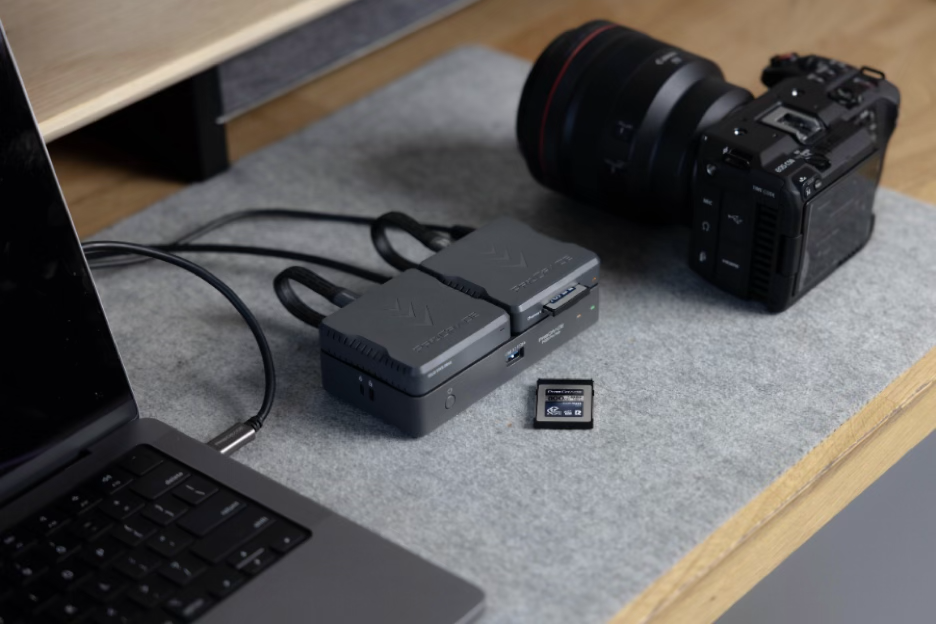
The ProGrade Digital PG20 Pro Thunderbolt 4 Hub is designed to get the most out of a Thunderbolt 4 system. It provides a single, full-bandwidth expansion point that brings external storage, card readers, and peripherals together while delivering power to the host (your laptop) via a single Thunderbolt 4 connection.
PG20 Pro Thunderbolt 4 Hub key characteristics:
- Thunderbolt 4 upstream port at 40 Gb/s with up to 85 W host power delivery
- Three Thunderbolt 4 downstream ports with 15 W bus power each
- One USB-A 3.2 Gen 2 port supporting up to 10 Gb/s for legacy devices
- Magnetic mounting for readers and SSDs
- Certified Thunderbolt 4 cable included
What distinguishes the PG20 Pro Hub is its attention to the physical workspace. A magnetic top mount allows you to attach ProGrade Digital workflow readers or Mini SSDs directly to the hub, using short, purpose-built USB Type-C cables to keep ingest paths compact and controlled.
For photographers and filmmakers who value both performance and a clean, considered desk, this design turns a Thunderbolt 4 system into a setup that is faster to engage with, easier to maintain, and more deliberate in daily use.
Maximizing a Thunderbolt 5 System
If your computer supports Thunderbolt 5, the goal is to give the system enough headroom to remain stable as more devices, displays, and peripherals stay connected simultaneously.
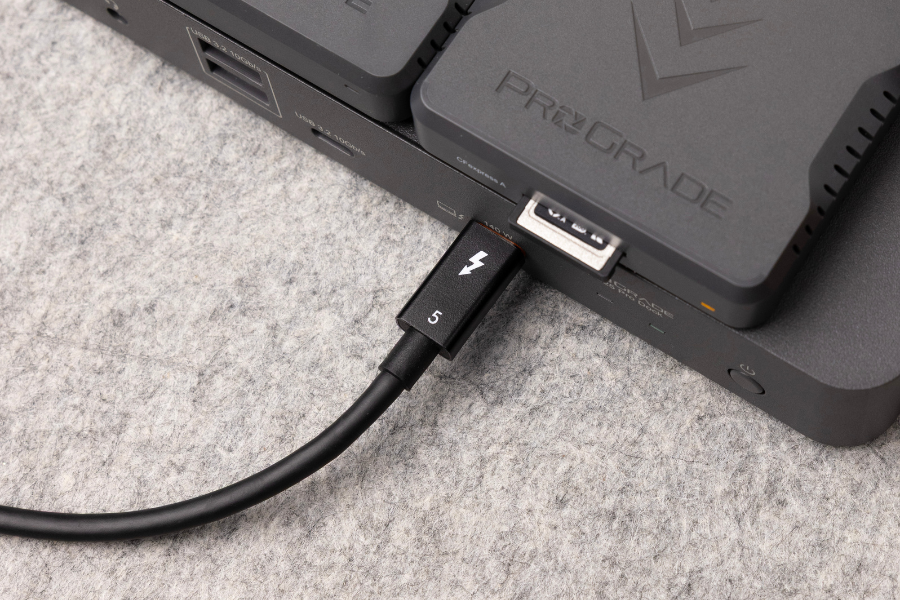
The ProGrade Digital PG25 Pro Thunderbolt 5 Dock is designed for this role. It serves as a centralized connection point for Thunderbolt 5 systems, bringing storage, readers, displays, networking, and peripherals together while taking advantage of the increased bandwidth and power delivery the standard provides.
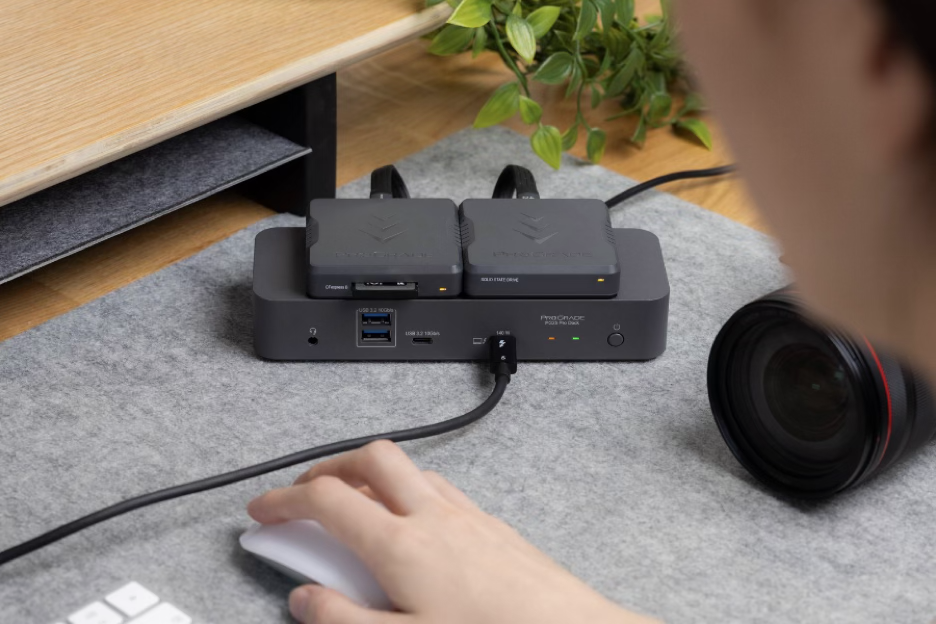
PG25 Pro Thunderbolt 5 Dock key characteristics:
- Thunderbolt 5 upstream port with up to 80 Gb/s bidirectional bandwidth
- Support for asymmetric bandwidth allocation up to 120 Gb/s for display-heavy workloads
- Three Thunderbolt 5 downstream ports for high-speed devices
- Additional USB-A and USB-C ports for peripheral connectivity
- Integrated Ethernet, audio ports, and expanded power delivery
- Magnetic mounting for ProGrade readers and Mini SSDs
- Certified Thunderbolt 5 cable included
As with the PG20, physical layout is part of the design. The magnetic top mount allows readers or Mini SSDs to attach directly to the dock, using short, purpose-built USB Type-C cables to keep ingest paths controlled and the workspace visually clean. For creators working with Thunderbolt 5 systems, the PG25 Pro Dock is built to support higher aggregate workloads while maintaining an organized, predictable setup.
Combining Thunderbolt With USB-C or USB4 Cables
In a Thunderbolt setup, not every connection needs to be a Thunderbolt cable. The high-bandwidth Thunderbolt upstream port is used where multiple data streams are aggregated, such as between the hub and the computer. Individual devices, such as card readers or SSDs, can be connected to the system perfectly well via high-quality USB-C or USB4 cables without compromising the setup. When done intentionally, this keeps the setup fast, efficient, flexible, and clean.
Final Words: Thunderbolt 4 vs Thunderbolt 5
We hope this article helped put Thunderbolt 4 and Thunderbolt 5 into a real-world perspective. Both can support professional workflows when used thoughtfully. The takeaway is not about upgrading for the sake of it, but about getting the maximum out of what you already have. The real advantage comes from building a system that matches how you work, using the right tools for the workload at hand.
Explore ProGrade Digital hubs and docks and create with intention!