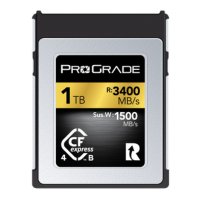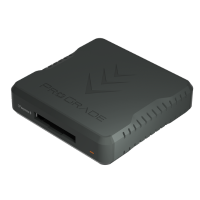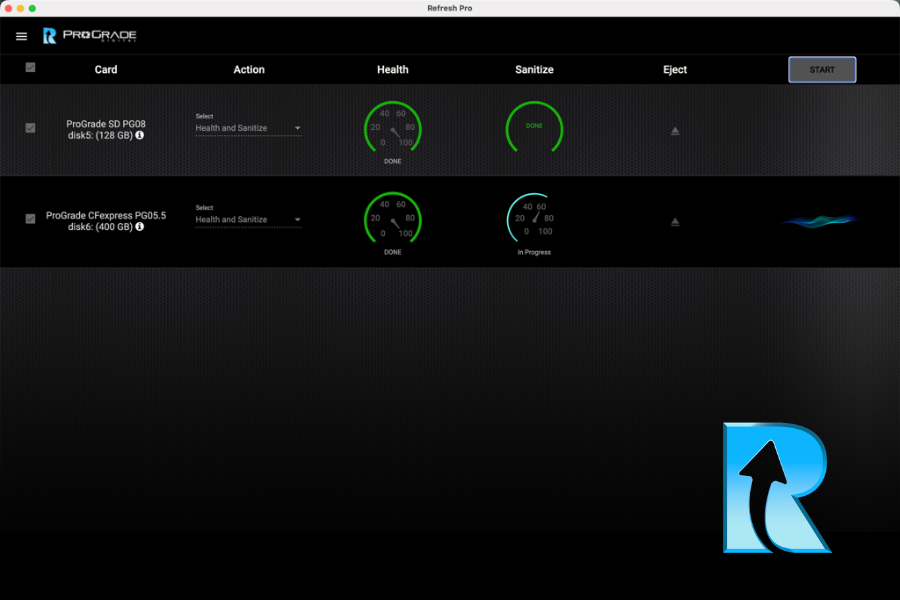
Memory card health monitoring is a critical but often overlooked part of working with digital storage. Memory cards are relied on to capture irreplaceable data, yet their condition is largely invisible during everyday use. Performance can appear normal even as wear accumulates beneath the surface.
This article explains why monitoring memory card health matters, what silent degradation looks like in practice, and how software tools can make card condition visible before failure occurs. Above all else, we look at how health monitoring, maintenance, and lifecycle management can help extend memory card longevity and reduce uncertainty in professional workflows.
Understanding Memory Card Health
When we talk about memory card health, we are not referring solely to the physical condition. A card can look perfectly fine on the outside while its internal components are already under stress. Memory card health describes the overall state of the flash memory and controller, and how reliably they can continue to store and retrieve data.
At a technical level, flash memory wears out gradually. Each memory cell can only endure a finite number of write and erase cycles. Over time, cells become harder to program accurately, error rates increase, and the controller has to work harder to maintain data integrity through error correction and block management. This process is normal and expected, but it is also invisible during normal operation.
Typical failure modes rarely announce themselves clearly. Instead of a slow, obvious decline, problems often appear suddenly. Files may become corrupted, dropped frames can occur during recording, or a card may fail to mount altogether. In many cases, the card seemed to function normally right up until the moment it did not.
Manual inspection offers little help here. Formatting a card, copying files, or running basic file system checks does not reveal how close the underlying flash memory is to its wear limits. Without access to the controller’s internal health data, users are effectively guessing when deciding whether a card is still safe to use.
This is where professional health monitoring tools come in. Health monitoring tools address this blind spot by exposing information that the card already tracks internally. By monitoring usage, error behavior, and wear indicators, these tools enable reliability assessment before failure and action while there is still time.
Overview of Memory Card Health Monitoring Tools
Memory card health monitoring can be approached in several ways, each offering different levels of insight and reliability. Most tools fall into one of three broad categories: hardware testers, general-purpose software utilities, and manufacturer-specific applications.
Hardware Testers
Hardware testers are standalone devices designed to test memory cards outside of a camera or computer. They typically focus on read and write verification, checking whether data written to the card can be read back correctly. While useful for detecting obvious faults, these tests are largely surface-level. They do not provide visibility into long-term wear, internal error correction activity, or remaining card life, and they cannot predict future reliability.
General-Purpose Software Tools and Apps
These are widely available and easy to use. They can check file systems, perform read/write stress tests, and identify corrupted sectors. These tools are helpful for basic troubleshooting, but they operate without access to the card’s internal controller data. As a result, they can confirm whether a card is currently functioning, but not how close it may be to its wear limits or whether it is suitable for continued professional use.
Manufacturer-Specific Utilities
Manufacturer-specific utilities offer deeper insight. Because they are developed alongside the hardware, these tools can access internal metrics tracked by the memory card controller, such as usage history, error behavior, and wear indicators. This allows for more meaningful health assessment and proactive maintenance rather than reactive testing after problems occur.
This is where Refresh Pro fits in. Refresh Pro is a dedicated health-monitoring and maintenance application designed specifically for ProGrade Digital memory cards and workflow readers. By reading internal controller data and combining it into a clear health assessment, it provides visibility that general-purpose tools and hardware testers cannot. In addition to monitoring card health, it supports card sanitization and firmware updates, making it a comprehensive solution for ongoing storage device maintenance in professional workflows.
Refresh Pro: A Dedicated Tool for Monitoring and Maintaining Memory Card Health
Refresh Pro is ProGrade Digital’s dedicated memory card health monitoring and maintenance application for professional workflows. It is available as a free download for both Windows and Mac users and is designed to work in combination with ProGrade Digital memory cards and ProGrade Digital workflow readers bearing the “R” logo.
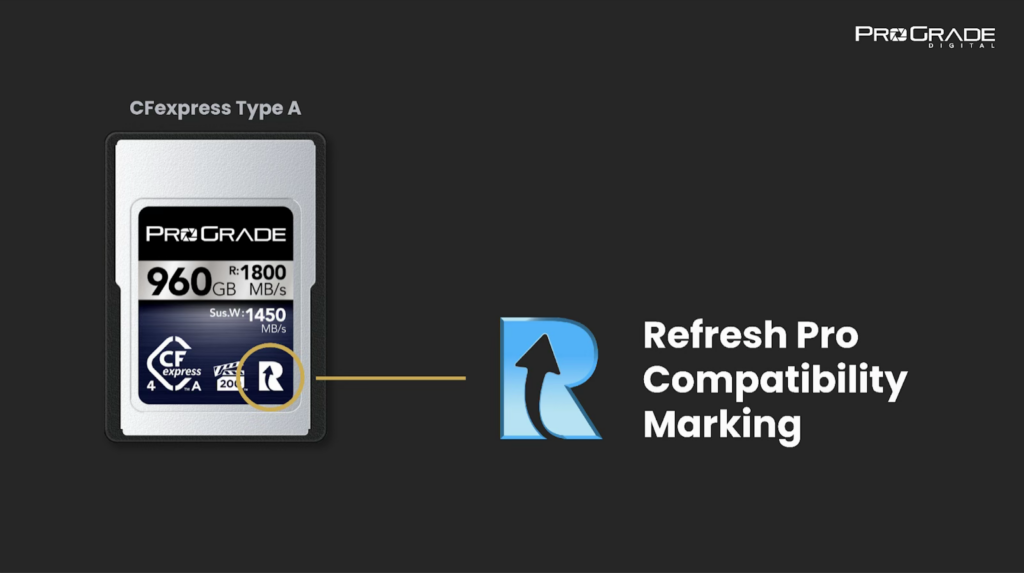
Refresh Pro is intended for photographers, videographers, and imaging professionals who depend on their media daily and want clear insight into card condition, rather than relying on assumptions. It is not a general-purpose utility. Its functionality is closely tied to supported hardware, which allows it to access information that standard tools cannot.
Key Features
- Health diagnostics and wear-level — Refresh Pro reads internal controller data stored on supported cards, including usage and wear indicators. These metrics are combined into an overall health assessment that helps determine whether a card can be used confidently, should be used with caution, or is approaching the end of its service life.
- Error detection and warning alerts — By monitoring internal attributes and error behavior, Refresh Pro can surface early warning signs that are not visible through normal file operations. This helps identify cards that may still function but no longer meet the reliability expectations of professional use.
- Enabling firmware updates — Refresh Pro lets you update your memory card’s firmware when new features, cameras, or shooting formats are introduced, optimizing its functionality.
Despite the depth of information it accesses, Refresh Pro presents results in a clear and approachable way. Health status is summarized at a glance, making it easy to assess card suitability without having to interpret raw technical data.
Card Maintenance
In addition to monitoring card health, Refresh Pro includes a sanitize function designed to restore a memory card’s internal operation over time. This refresh process returns the card’s memory cells to a factory-new state, enabling data to be written under optimal conditions again.
Unlike formatting a card in a camera, which only clears the file system, the sanitize function resets the card at the controller level. It clears and reorganizes memory blocks internally, removing any fragmentation that builds up through repeated use.
The result is more consistent write behavior and improved stability, particularly during long or high-bitrate recordings. Used periodically, refreshing the memory cells helps maintain predictable performance and extend the card’s usable life.
Installation and Setup
Getting started with Refresh Pro is straightforward. The software is available as a free download from ProGrade Digital and installs like a standard desktop application.
Whenever you connect a supported ProGrade Digital card using a compatible workflow reader. Refresh Pro automatically detects supported media and makes health diagnostics, refresh options, and firmware updates available.
Real-World Use Cases and Benefits
Memory card health monitoring is most valuable when the cost of failure is high or when cards are used intensively over time.
- Professional photographers and videographers can check card health before important shoots to ensure the cards perform as intended, reducing the risk of failure mid-shoot and losing irreplaceable media.
- Studios and IT teams managing multiple cards can perform regular maintenance of flash memory cells, track card usage, and retire media before reliability becomes uncertain.
- Hobbyists and travelers can verify card condition and restore peak performance before trips or sessions where reshoots are not an option.
Any workflow handling critical data benefits from making card reliability visible rather than relying on assumptions. In all of these cases, proactive monitoring and maintenance help extend the longevity of memory cards by keeping the remaining flash memory operating under optimal conditions for as long as possible.
Best Practices for Memory Card Maintenance
Software-based health monitoring works best when paired with good handling habits. Here’s what to keep in mind:
- Always eject cards properly and never remove them (or a battery of your camera) while data is being written.
- Store cards in dry, temperature-stable conditions.
- ProGrade Digital memory cards are dust- and water resistant, but this feature is only to protect your valuable media. Never use a wet or dirty card. Dry and clean them thoroughly before using.
- Similarly, even though ProGrade memory cards are shockproof and can take a beating, handling them with care extends their usable life. Also, keep cards in protective cases when not in use.
- Regular backups remain essential, regardless of how healthy a card is.
- When a card’s health indicators show increasing wear, it is better to replace it right away, rather than pushing it until failure occurs.
- Opt for recommended card readers. High-quality readers ensure accurate communication between the card and monitoring software during checks and maintenance.
- Keeping firmware up to date also matters. Firmware updates can improve compatibility and stability with new cameras and formats.
Final Words: Memory Card Health Monitoring & Maintenance
Memory card health monitoring brings visibility to a part of digital storage that is otherwise hidden. Flash memory is designed to be robust, but it is not immune to wear. Monitoring tools like Refresh Pro simply make that reality measurable.
Now that you understand what memory card health represents and how it can be monitored and maintained, it becomes easier to treat storage as part of a system rather than a consumable afterthought. With the right tools and habits, card performance stays consistent, lifespan is increased, and the risk of unexpected failure is reduced.
Used this way, memory card health monitoring supports long-term reliability and data integrity across demanding workflows, helping storage behave as predictably as the rest of your gear.