DaVinci Resolve has quickly become a go-to choice for professional editors, offering a fast, streamlined environment for everything from cutting to color and delivery. But as editing speeds improve, a new limitation becomes clear: the workflow around it.
In modern video workflows, the limiting factor is no longer the edit; it’s the data pipeline behind it.
To get the most out of Resolve, your workflow needs to be just as efficient as the software itself.
In this article, we look at how to maximize DaVinci Resolve’s performance by eliminating data bottlenecks across your entire workflow.
Why Professionals Are Moving to DaVinci Resolve
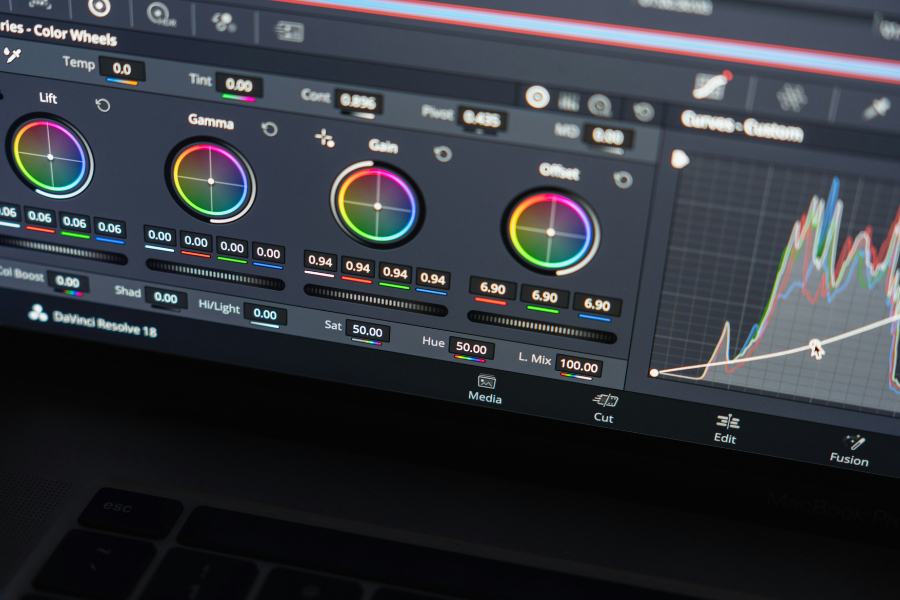
DaVinci Resolve has evolved from a specialist color grading tool into a complete post-production environment. Editing, color, audio, and visual effects all live inside a single application, which removes the need to constantly move projects between different tools. For many professionals, that alone simplifies the workflow in a meaningful way.
There is also a growing shift away from subscription-based software. Resolve offers a clear, one-time investment model that makes it easier for independent creators and production teams to scale without incurring recurring costs. But the move is not just about pricing. It is about control and predictability.
Performance plays a major role as well. Resolve is optimized to handle high-resolution footage, RAW formats, and complex timelines without the same level of friction many editors have come to expect. Playback is smoother, rendering is efficient, and the overall experience feels more direct. Instead of working around the software, editors can focus on the work itself.
But this shift brings something unexpected. As editing becomes faster and more streamlined, the delays that used to be hidden inside the timeline become more visible elsewhere.
The Hidden Problem: Data Bottleneck
As editing performance improves, the limiting factor in modern video workflows has shifted. It is no longer the timeline struggling to keep up. It is everything that happens before the footage even gets there.
File sizes have grown significantly. High-bitrate codecs, RAW formats, and multi-camera shoots can generate hundreds of gigabytes in a single session. Moving that data from card to system is no longer a simple step. It is a critical part of the workflow, and often the slowest one.
Even small inefficiencies start to compound. A few extra minutes per card. Waiting on transfers. Managing multiple drives. Verifying files manually. Over the course of a project, these delays add up to hours of lost time.
What makes this more noticeable now is speed elsewhere. When editing, playback, and rendering are no longer holding you back, any delay in ingest becomes immediately visible. The faster your software gets, the more exposed your data pipeline becomes.
This is where many workflows start to break down. Not because the tools are lacking, but because the infrastructure around them has not kept pace. Storage, transfer speeds, and ingest processes were not designed for the volume and complexity of today’s footage.
The bottleneck has not disappeared. It has moved. Resolve removes friction inside the edit. But exposes friction everywhere else.
For professionals working with large files, high bitrates, and multi-camera setups, that shift changes where time is lost. The bottleneck is no longer the software. It is the workflow around it.
The Role of High-Performance Media
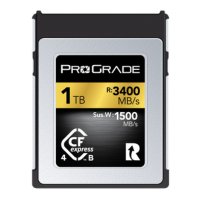
High-Performance Memory Cards
Everything starts at capture. And if the data isn’t captured properly, nothing that follows can fix it.
DaVinci Resolve is built to work with high-quality footage. Especially when it comes to color grading. The flexibility you get in grading is directly tied to how much data your footage contains. High-bitrate codecs and RAW formats preserve that data. Low-bitrate recordings discard it.
To take full advantage of Resolve’s capabilities, you need media that can reliably sustain those higher bitrates during recording.
This is where memory card performance actually matters. And it is not about maximum advertised speeds. It is about sustained write performance under continuous load.
If a card cannot keep up with your camera’s data rate, you risk dropped frames, recording failures, or forced compression. In all cases, you are losing data at the moment it is captured.
High-performance memory cards offer much higher sustained read and write speeds than entry-level or older cards, which helps ensure:
- High-bitrate video can be recorded without interruption.
- Image quality is preserved for post-production.
- Footage can be offloaded without delays.
That is the first half of the equation. The second half is what happens after the shoot.
High-Performance SSDs
Once footage is captured, it needs to be moved, backed up, and accessed – often in large volumes. This is where storage speed becomes just as critical as capture performance.
Many workflows still rely on consumer-grade external SSDs that deliver around 400 to 600 MB/s. That may be sufficient for basic transfers, but it quickly becomes a bottleneck when working with high-resolution footage and expecting smooth, real-time playback with color grading and effects applied.
Because at this stage, performance is no longer about copying files. It is about how fast your system can actually read and work with that data.
Where SSD Speed Starts to Matter
Inside DaVinci Resolve, your storage directly affects how the timeline behaves.
Every action depends on read speed:
- Scrubbing through footage
- Playing back high-bitrate video
- Handling multiple layers
- Applying color grades and effects in real time
If your storage cannot deliver data fast enough, the experience breaks down. Playback stutters. Scrubbing becomes inconsistent. You are forced to generate proxies or reduce quality just to keep working.
At that point, you are no longer limited by Resolve or your computer’s specs. You are limited by how fast your storage can feed it data.
This is where high-performance SSDs change the workflow entirely.
The Difference High-Performance Storage Makes
With solutions like the ProGrade Digital PG10 (USB 4.0), which delivers up to 3,000 MB/s read and write speeds and a sustained write speed of 2,500 MB/s, you are operating at a completely different level compared to standard drives.
That difference is not theoretical. It shows up immediately. High-performance SSDs remove one of the most common hidden bottlenecks in modern workflows. When your storage can keep up with your footage, DaVinci Resolve can finally perform at the level it was designed for.
Ingest Speed: From Card to Storage to Timeline
High-performance memory cards solve the capture side of the workflow. High-performance SSDs solve the editing side. The stage between them is where many workflows give that speed back.
The data transfer stage determines how quickly recorded footage actually becomes editable footage. If it is handled through a slow reader or an unstructured ingest process, the workflow slows down before the footage ever reaches the timeline.
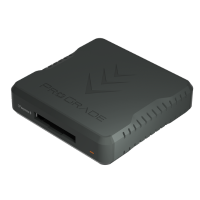
This is where high-speed workflow readers and Ingest Pro become important. The reader determines how efficiently data leaves the card, while Ingest Pro structures the transfer, verification, and organization of that data as it moves to storage.
With Ingest Pro, transfers, verification, folder creation, and organization are handled automatically within a single process, ensuring data moves into the system in a consistent, structured way. When paired with high-speed workflow readers, multiple cards can be offloaded in parallel, allowing ingest to scale with the volume of data rather than slow it down.
In Resolve-based workflows, this keeps the transition from capture to edit in line with the performance of the rest of the pipeline. Media is available sooner, with structure and verification already in place, without introducing additional steps before editing begins.
In practical terms, this keeps the entire data path aligned. The card is fast enough to capture the footage properly. The SSD is fast enough to support editing properly. The workflow reader paired with Ingest Pro ensures the transfer between them does not become the weakest link.
Final Words: Maximizing Performance in DaVinci Resolve
DaVinci Resolve has changed what many editors expect from post-production software. It handles cutting, color, audio, and finishing within a single environment, and it does so with a level of speed and fluidity that has made it an increasingly practical choice for professional workflows.
But software performance does not exist in isolation. If footage is not captured at the right quality, transferred efficiently, and placed on storage that can keep up with playback and grading, part of that advantage is lost before the edit even begins.
This is why workflow performance needs to be considered as a complete path rather than as a set of isolated upgrades.
High-performance memory cards, high-speed SSDs, professional workflow readers, and structured ingest each solve a different part of that path. When they are aligned, DaVinci Resolve is no longer waiting on the workflow around it. It can simply do what it is designed to do.