In drone photography, the memory card you choose can make the difference between capturing flawless aerial footage and losing critical shots. The best memory card for drone photography needs to keep up with high data rates, handle harsh conditions, and work seamlessly with your drone’s recording capabilities. Using a card that’s too slow or incompatible can lead to dropped frames, recording errors, or even corrupted files; issues that can ruin an otherwise perfect flight.
In this guide, we’ll break down the key specifications, formats, and reliability factors to help you choose a card that matches both your drone and your creative workflow.
Understanding Memory Card Types and Standards
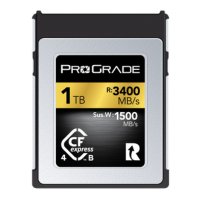
Memory cards come in several formats, the most common being SDXC™, microSDXC™, CFexpress Type A, and CFexpress Type B. Each card is designed for different devices and performance needs.
Although high-end cinema drones or camera payloads may support CFexpress or proprietary SSD modules for higher bitrates, most consumer and professional drones rely on microSDXC™ cards. That is why in this article, we focus mainly on microSDXC™ cards.
At a glance, most microSDXC™ cards look the same, but their capabilities can vary dramatically. Factors like bus type, speed rating, and even durability all influence how well a card will perform in real-world use. Understanding the standards behind these specifications is the key to choosing a card that matches your equipment’s demands and delivers reliable performance every time.
Key Factors When Choosing a Card for Drone Photography
Storage Capacity
How much space you need depends on your shooting style and resolution. For still photography, 32GB to 64GB is often sufficient for casual use, while professionals shooting RAW may prefer 128GB or more. For video, higher capacities are essential. Full HD recording is manageable on 64GB, but 4K often benefits from 128GB to 256GB, and 8K or high-bitrate formats can require 512GB to avoid frequent card changes mid-shoot.
Read/Write Speeds
Read speed determines how fast files transfer from your card to your computer or backup drive and write speed determines how quickly your camera can save data to the card.
Video speed classes are a standardized way to show how quickly a memory card can write data. The rating is printed directly on the card as a number next to the letter V (for “Video”), such as V30 or V60. The number represents the minimum sustained write speed in megabytes per second (MB/s) that the card can maintain without dropping frames.
Here’s what the main ratings mean:
- V30 – At least 30 MB/s sustained write speed. Good for 4K video at standard bitrates.
- V60 – At least 60 MB/s sustained write speed. Recommended for higher-bitrate 4K, 5.1K, and slow-motion capture.
These ratings matter because drones record video in real-time. If the card can’t keep up with the data rate, you risk dropped frames, lower-quality fallback recording, or complete capture failure. Choosing a card with the right V-class ensures smooth, uninterrupted recording and preserves the quality your drone is capable of delivering.
Video speed classes aren’t only important for video; they matter for drone photographers, too. A higher sustained write speed allows your drone’s camera to save large image files quickly and clear the buffer efficiently, which is critical for burst shooting, HDR bracketing, or capturing rapid sequences in changing light. With slower cards, you risk delays between shots or missed frames, which can be costly when working in fleeting conditions like golden hour or fast-moving subjects.
Read speeds matter, too. They don’t affect in-flight recording, but they do determine how fast you can move footage from the card to your computer or backup drive. Typical microSDXC V30 cards offer read speeds in the 100–170MB/s range, depending on the brand. ProGrade Digital goes further, delivering up to 200MB/s with its microSDXC™ Strontium V30 cards and up to 250MB/s with the microSDXC™ Gold V60 cards. That extra speed can save hours when offloading large amounts of files, especially after long flights or multi-day shoots.
Durability and Reliability
Outdoor shoots expose memory cards to dust, moisture, temperature fluctuations, and physical shocks. Professional-grade cards offer features like water resistance, temperature resistance, and shockproof ratings to ensure performance in challenging environments.
Brand Reputation and Warranty
A reliable card starts with a trusted manufacturer. Reputable brands not only deliver consistent performance but also back their products with longer-than-standard warranties and customer support. Be cautious of counterfeit cards, which are common online (as all microSD cards have the same form factor) and often fail to meet their stated specifications. Buying from authorized dealers helps ensure you get genuine, tested products.
Matching Card Specs to Your Drone and Workflow
Every drone manufacturer provides recommended memory card specifications in the user manual or on their website. These requirements are based on the drone’s maximum supported resolution, bitrate, and recording formats. For example, DJI’s latest models, such as the Mavic 3 series and Air 3, recommend microSD cards with a V30 or higher video speed class for 4K and 5.1K recording. Autel’s EVO II series lists similar requirements for its high-bitrate 6K and 8K modes.
Firmware compatibility also matters. Some drones require specific formatting or file system structures to recognize a card, and occasional firmware updates improve card compatibility or fix recording issues.
- Recreational users shooting mostly still photography and occasional video can take full advantage of UHS-I V30 cards without any issue, like ProGrade Digital’s microSDXC™ Strontium V30 cards. These tiny storage powerhouses deliver impressive performance for aerial photography. They provide sustained write speeds of 30MB/s for consistently fast image saves, with peak write speeds of up to 50MB/s to handle demanding tasks such as rapid RAW bursts or HDR bracketing from the air. Professional users’ workflows demand the highest performance and reliability. If you are capturing commercial projects, including cinematic video or high-resolution mapping, besides high-resolution aerial photography, a UHS-II V60 card is likely a better fit. For example, the ProGrade Digital microSDXC™ Gold UHS-II V60 card provides sustained write speed of 60MB/s and delivers the top write speed of 130MB/s needed for long takes and demanding projects.
What Capacity Memory Card to Choose
The right capacity depends on your shooting style, resolution, and how often you can offload files.
- 64GB – Suitable for shorter flights focused on still photography, RAW bursts, or short test flights.
- 128GB – A versatile choice for most drone photographers, offering plenty of space for high-megapixel stills, HDR sequences, and moderate amounts of video without frequent swaps.
- 256GB – Ideal for extended sessions, multi-location shoots, or when working far from your base. Enough room for large RAW libraries or occasional high-resolution video.
- 512GB – Best for long expeditions or projects where you need to store everything from multiple flights before returning to offload.
While larger capacities offer convenience, it’s still wise to rotate between cards during a shoot. This minimizes the risk of losing all your work if a card is damaged or corrupted.
Best Practices for Card Maintenance and Data Safety
To keep your memory card performing at its peak, proper maintenance is essential. Even though professional-grade cards like ProGrade Digital’s microSDXC™ models are built to resist shock, water, temperature changes, and X-rays, they should still be stored in a protective case when not in use. If a card becomes wet or dirty, allow it to dry completely or clean it carefully before inserting it into your drone or card reader.
Card care is not only about the exterior. It’s equally important to maintain the internal flash memory cells. Over time, cards can become fragmented, which affects how efficiently data is written and read. Periodic “refreshing” restores them to optimal condition. One way to do that is to perform a full format using your computer. Meanwhile, ProGrade Digital microSDXC™ Gold V60 cards are compatible with Refresh Pro™, a free software tool for ProGrade cards that allows you to reset memory cells to factory-new condition and monitor card health, ensuring you always get top speed and reliability whenever your drone takes off.
Pro Tips for Data Safety:
- Format in-camera before each shoot – Keeps the file system clean and reduces the risk of errors.
- Back up images immediately after flying – Store multiple copies in different locations for safety.
- Keep filled and empty cards separate – Prevents accidental overwriting and makes in-field management easier.
- Label cards clearly – Helps you identify the right card quickly when working in changing conditions.
- Remove cards properly — Always eject cards as intended and power off your drone or camera when taking out the card to avoid data corruption issues.
- Use Dual-Card Recording (If Supported) – Some drones and camera payloads allow simultaneous recording to two cards for instant redundancy.
- Address Errors Quickly – If you see recording errors, failed writes, or compatibility warnings, stop shooting, back up what you can, and reformat the card in your device.
- Check for Firmware Updates Regularly – Drone and camera firmware updates often improve card compatibility and fix bugs.
For more detailed troubleshooting steps, see ProGrade Digital’s guide to memory card maintenance.
Using professional-grade media, such as ProGrade Digital’s V30 or V60 microSDXC™ cards, ensures that your card meets or exceeds the manufacturer’s specifications and remains reliable after firmware updates.
Conclusion
The right memory card is more than storage. It’s the partner that keeps every shot safe from takeoff to landing. We hope this article helps you choose a card that matches your drone and your vision, care for it well, and you’ll fly knowing your best work is always in good hands.